SAGALITH / Story bible
Story bible software that stays beside your manuscript
Give every established fact a home. Keep the people, places and rules of your story within reach while you draft the next chapter.
Every tool included. Free exports on every plan.
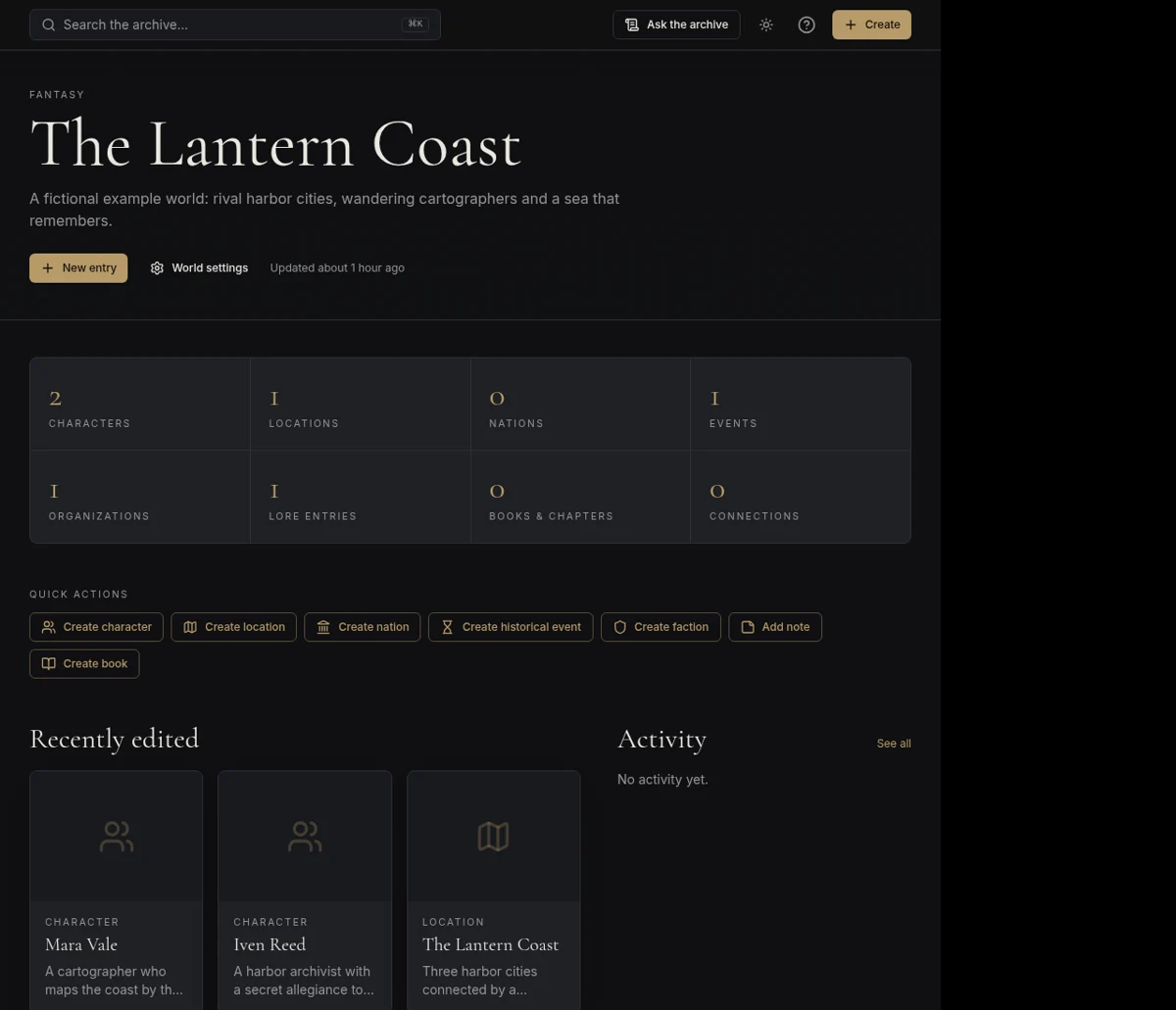
What is a story bible?
A story bible is a working reference for the facts of a novel, series, game or screen project. It records what is true about the setting and cast so you do not have to reconstruct it from memory every time you write.
It is not the manuscript, and it does not have to describe every corner of the world. Its most valuable entries answer recurring questions: how old a character is, which events happened first, where the next scene takes place and what a magic system cannot do.
A practical starting structure
Separate established facts from possibilities. Use character and location entries for decisions that are part of the story, and keep tentative ideas in Notes. Add events to a timeline when their order matters. Record a rule once and link back to it wherever it affects a character or plot.
For a multi-book project, keep shared lore in one world, then organize books and chapters within that world. A world JSON backup preserves your archive separately from a manuscript export.
- Cast: motives, relationships and important biographical details.
- Setting: places, factions and institutions that affect scenes.
- Rules: limits, costs and exceptions for magic or technology.
- Chronology: events, travel and ages that must fit together.
- Open questions: ideas that are not yet canon.
Use the bible while you write
SAGALITH stores chapter text with your chapter entries and lets you open the manuscript editor from the archive. Consult lore during drafting rather than copying reference material into every chapter. The consistency check and optional editorial AI can help you review details, but neither replaces your final judgment.
When sharing with readers or players, publish only selected wiki entries. A private story bible and a public encyclopedia serve different audiences: your working notes can contain spoilers, while the public version should reveal only what that audience needs.
Your first three steps
- 01
Record the five facts your next chapter must not contradict.
- 02
Place each fact in a character, location, event or world-rule entry.
- 03
Draft the chapter, then update the reference when you settle a new detail.
Before you begin
Does a story bible need to be finished before the novel?
No. Start with the details your current scenes need and expand it as decisions become established. A small maintained reference is more useful than an enormous unfinished one.
Can I export the manuscript on the free plan?
Yes. Manuscript exports and a world JSON backup are available on every plan, including free.